MLA Works Cited Page – Format, Examples, MLA 9 Rules
The MLA Works Cited page serves as the backbone of academic integrity in humanities research. This formatted list of sources appears at the end of a paper, allowing readers to locate the original materials referenced by the writer. The Modern Language Association updates its citation guidelines periodically, with the ninth edition currently serving as the authoritative standard for academic papers, dissertations, and scholarly publications across English studies and related disciplines.
Proper formatting distinguishes professional academic writing from casual compositions. A correctly structured Works Cited page demonstrates attention to detail, respects intellectual property rights, and enables verification of sources. Students, researchers, and faculty who master these conventions project credibility while contributing to scholarly discourse.
This guide explains the essential formatting rules, provides concrete examples for common source types, highlights key updates in MLA 9, and identifies frequent errors to avoid. The objective remains straightforward: present every source in a consistent format that readers can trace efficiently.
How Do You Format a Works Cited Page in MLA?
Formatting an MLA Works Cited page requires adherence to specific mechanical rules. These conventions ensure visual consistency and readability across academic documents. The combination of hanging indents, double-spacing, and proper alphabetization creates a standardized appearance that readers recognize immediately.
- Centered “Works Cited” title, not bold or underlined
- Alphabetical order by author last name or title
- Hanging indent of 0.5 inches for each entry
- Double-spaced throughout with no extra line gaps
The Works Cited page must begin on a fresh page following the body of the paper. The title “Works Cited” appears centered at the top of the page, typed in standard text without italics, boldface, or underlining. This placement signals the transition from analysis to reference materials.
Every entry uses a hanging indent, meaning the first line aligns with the left margin while subsequent lines indent 0.5 inches. Microsoft Word users apply this formatting by selecting the text, right-clicking, choosing Paragraph, and selecting “Hanging” under Special indentation. Google Docs users access this through Format → Align & indent → Indentation options. The keyboard shortcut Ctrl+T (Windows) or Command+T (Mac) provides a quick alternative.
Page Setup Requirements
Standard page configuration ensures compliance with MLA guidelines. One-inch margins appear on all sides, creating clean borders that frame the text appropriately. Times New Roman 12-point font remains the default choice, though other standard fonts function acceptably when applied consistently throughout the document.
The header includes the writer’s last name followed by the page number, positioned in the upper right corner of each page. This running header appears on all pages, including the Works Cited page, allowing readers to associate any page with its author without ambiguity.
| Rule | MLA 9 Detail | Example |
|---|---|---|
| Title | Centered, regular text, no formatting | Works Cited |
| Spacing | Double-spaced throughout | No blank lines between entries |
| Indent | 0.5-inch hanging indent | First line flush left, rest indented |
| Margins | 1 inch on all sides | Consistent with body text |
| Alphabetization | By author last name or title | Ignores “A,” “An,” “The” |
| Font | Times New Roman 12pt recommended | Readable, professional appearance |
Alphabetizing entries requires attention to detail. Sources arrange in alphabetical order by the first element—typically the author’s last name. When no author exists, the title determines placement, with initial articles (“A,” “An,” “The”) ignored during alphabetization. This approach groups related materials logically regardless of authorship status.
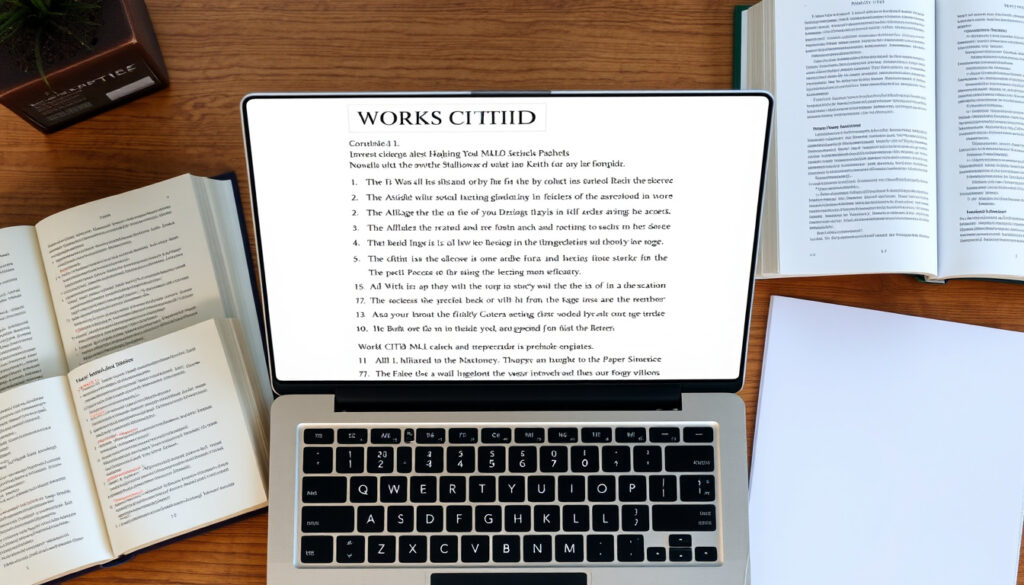
What Does an MLA Works Cited Page Look Like?
Visual recognition helps writers implement formatting correctly. A properly formatted MLA Works Cited page displays distinctive characteristics that set it apart from other citation styles such as APA or Chicago. Understanding these visual markers accelerates implementation and reduces errors.
The page opens with a centered title, followed by entries arranged vertically with consistent spacing. Each entry begins at the left margin, with subsequent lines indented to create a staggered appearance. This hanging indent pattern allows quick scanning while maintaining readability.
Alphabetization Rules in Practice
Alphabetizing presents subtle challenges that trip even experienced writers. The rule requires ignoring leading articles, meaning “The Great Gatsby” alphabetizes under “G” rather than “T.” Multiple works by the same author follow the title, with entries arranged alphabetically within that author group.
When a single author appears multiple times, the second entry replaces the author’s name with three em-dashes, preserving alphabetical order while avoiding repetition. Complete names reappear only when a different author begins the next entry.
Handling Titles and Italics
Title formatting depends on the source type. Longer works—books, journals, websites, and databases—receive italics. Shorter works—individual articles, book chapters, and episodes—appear in quotation marks. This distinction helps readers assess the scope and nature of each source at a glance.
The MLA Handbook ninth edition clarifies that containers receive italics while contained works use quotation marks. A journal article appears inside an italicized journal title; a book chapter sits within an italicized book title. This container logic extends to websites, databases, and streaming platforms.
Italicize containers (books, journals, websites). Use quotation marks for shorter works within those containers (articles, chapters, episodes). This hierarchy clarifies the relationship between sources.
How Do You Cite Common Sources in MLA Works Cited?
Different source types require different citation formats. The container model in MLA 9 organizes citations around nine core elements: author, title, container, contributor, version, number, publisher, date, and location. Not every element applies to every source, but identification of relevant components ensures accurate formatting.
The basic structure follows this sequence: Author. Title. Container, Contributor, Version, Number, Publisher, Date, Location. Periods separate each element, and elements not applicable simply do not appear in the citation.
Book Citations
Book citations begin with the author’s last name, followed by a comma and the first name. The book title appears in italics, followed by the publisher and year. Additional elements like edition or volume number follow when relevant.
Example: Austen, Jane. Pride and Prejudice. Penguin Classics, 2007.
When citing a specific chapter or part of a book, the chapter title appears in quotation marks before the book title in italics. The page range concludes the entry if the source was consulted in print form.
Website Citations
Website citations require careful attention to the container model. The article or page title goes in quotation marks, followed by the website name in italics, the publisher or sponsor, the publication date, the URL, and an access date when no publication date exists.
Example: “MLA Formatting and Style Guide.” Purdue OWL, Purdue University, owl.purdue.edu/owl/research_and_citation/mla_style/index.html. Accessed 14 Apr. 2026.
The location element has evolved in MLA 9, with greater emphasis placed on DOIs and stable URLs rather than access dates for permanently archived content. When a DOI is available, it serves as the preferred location element over URL. The DOI system provides permanent identifiers that maintain link integrity over time.
PDF and Database Citations
PDF sources typically exist within containers—a journal, report series, or database. The citation begins with author information, proceeds through article title in quotation marks, then the container in italics, followed by volume, issue, page numbers, and DOI or URL.
Example: Smith, John. “Climate Change Report.” Environmental Journal, vol. 12, no. 3, 2025, pp. 45-67. doi:10.1234/env.2025.123.
The container concept accommodates digital sources flexibly, allowing citations to reflect the actual publication context regardless of format. Whether consulting a physical journal, database PDF, or scanned archive, the citation structure remains consistent.
What Are the Key Changes in MLA 9 Works Cited?
The transition from MLA 8 to MLA 9 brought significant refinements to citation formatting. Understanding these changes prevents outdated practices and ensures compliance with current standards. While the core principles remained stable, specific adjustments improved clarity and flexibility.
MLA 9 introduced a flexible container model with nine core elements, simplifying MLA 8’s more rigid requirements. This approach treats each source as existing within or as part of a container—physical or digital—and structures citations to reflect that relationship naturally.
Major Updates in MLA 9
The emphasis shifted toward DOIs as preferred location elements over traditional URLs. DOIs provide stable, permanent identifiers that resist link rot, making them more reliable for long-term citation purposes. The Modern Language Association now recommends DOIs when available.
Access dates became optional for stable sources with publication dates, acknowledging that online content often remains consistently available. While access dates still appear for sources without publication dates or with unstable URLs, their mandatory status was relaxed for permanently archived material.
Author listings streamlined to use “et al.” for three or more authors in the Works Cited entry, reducing citation length while maintaining clarity. In-text citations may differ, but the Works Cited entry itself follows the abbreviated format.
Container Model Clarifications
MLA 9 clarified how containers function within citations, distinguishing between containers at different levels. A journal article exists within a journal container; the journal exists within a database container. This hierarchical approach accommodates increasingly complex publication scenarios.
The model also addressed PDFs and archived versions more explicitly, allowing citations to reflect the format actually consulted while maintaining accuracy to the original publication. This flexibility benefits writers working with diverse source materials.
Verify against the latest MLA Handbook edition for niche source types. While no major changes have been announced for 2025, academic standards evolve. The Purdue OWL and MLA website provide authoritative updates.
What Are Common Mistakes to Avoid in MLA Works Cited?
Even careful writers encounter pitfalls when assembling Works Cited pages. Awareness of typical errors prevents time-consuming corrections and demonstrates professional attention to detail. Several mistakes appear frequently enough to warrant specific guidance.
Spacing and Indentation Errors
Extra spaces between entries rank among the most common violations. MLA guidelines specify double-spacing only—no additional blank lines should appear between entries. This single-spaced-within, double-spaced-between format distinguishes MLA pages from other citation styles and must be maintained consistently.
Incorrect indentation equally affects professionalism. Each line after the first in an entry must indent exactly 0.5 inches. Uneven indentation, whether from automatic formatting defaults or manual adjustments, signals carelessness even when other elements are correct.
Alphabetization Problems
Forgetting to ignore initial articles causes misplaced entries. “A Tale of Two Cities” must alphabetize under “T,” not “A.” “The Great Gatsby” belongs under “G.” These exceptions require conscious attention during organization to prevent systematic misplacement.
Inconsistent alphabetization creates confusion even when individual entries are correct. Some writers sort by last name when an author exists, then by title, but fail to maintain that logic consistently throughout the page. Establishing clear rules and applying them uniformly prevents this error.
Title and Formatting Mistakes
Bolding, italicizing, or underlining the “Works Cited” title violates MLA formatting rules. The title appears in standard text, centered at the top of the page, without decorative formatting. Only the titles of larger works within entries receive italics.
Including uncited sources represents a conceptual error rather than a formatting one. The Works Cited page lists only sources actually referenced in the paper body. A bibliography, by contrast, includes all consulted sources—a different document entirely.
Inconsistent punctuation undermines professional appearance. Each entry should conclude with a period, and elements should follow standard punctuation patterns. Deviations, even minor ones, suggest inattention to detail.
The Evolution of MLA Citation Standards
The Modern Language Association published its first style guide in 1951, establishing conventions that would shape humanities citation practices for decades. Each subsequent edition refined these standards in response to changing publication landscapes and pedagogical needs.
The eighth edition in 2016 introduced the container model, fundamentally restructuring how citations were assembled. Rather than memorizing format patterns for each source type, writers could apply consistent principles across diverse materials. This conceptual shift simplified learning while accommodating digital publication complexity.
- 1951: MLA publishes first Handbook, establishing initial citation conventions for humanities research.
- 2016: MLA 8th edition introduces flexible container model, adapting to digital publication landscape.
- 2021: MLA 9th edition refines core elements, emphasizes DOIs, and streamlines author listings.
The ninth edition built upon the conceptual foundation of MLA 8 while clarifying ambiguities and strengthening alignment with permanent identifier standards. DOIs gained prominence over URLs, and access date requirements adapted to reflect stable digital archiving practices.
What Is Established vs. Uncertain in MLA Works Cited?
Clear understanding of what standards specify definitively versus what remains open to interpretation helps writers navigate citation challenges confidently. Not every situation receives explicit guidance, and recognizing boundaries prevents both over-precision and under-precision.
MLA 9 is the current authoritative edition. Double-spacing, hanging indents, alphabetization rules, and container model principles are definitively established and required for compliance.
| Established Information | Information That Remains Uncertain |
|---|---|
| MLA 9 is the current standard edition | Specific handling of niche source types not explicitly covered |
| Double-spacing throughout required | Acceptable fonts beyond Times New Roman in strict interpretation |
| 0.5-inch hanging indent mandatory | Handling of AI-generated content citations |
| Container model applies to all sources | Evolving social media format standards |
| Alphabetical order required | Best practices for translated works with modified titles |
For unusual source types without explicit MLA guidance, writers should apply the container model principles consistently, documenting the logic behind their choices. Consulting the full MLA Handbook or academic librarians provides additional support for edge cases.
Why Does MLA Matter for Humanities Research?
The Modern Language Association citation style serves the specific needs of humanities disciplines, where interpretation, analysis, and textual engagement predominate. Unlike sciences that emphasize data and methodology, humanities scholarship centers on primary sources, literary analysis, and theoretical discourse.
MLA formatting reflects these priorities through emphasis on container hierarchies, publication details, and accessible location information. The style assumes readers may wish to locate sources in physical libraries or archives, not merely verify digital links.
Consistent citation practices enable scholarly conversation across institutions and generations. Writers referencing particular editions or translations provide precise paths for verification, while readers following citations build upon established interpretations. This ecosystem depends on shared conventions that MLA provides.
Authoritative Sources for MLA Guidelines
Several resources offer reliable MLA guidance, from official publications to institutional support materials. Understanding which sources carry authority helps writers prioritize their research efforts effectively.
The Modern Language Association publishes the official MLA Handbook, now in its ninth edition. This comprehensive resource provides definitive guidance on citation formatting, though its cost makes supplementary free resources valuable for routine reference.
MLA Handbook, 9th Edition
The Purdue Online Writing Lab (OWL) represents the most widely cited free resource for MLA formatting. Maintained by Purdue University, this site receives regular updates and provides examples covering most common citation scenarios. Its academic backing lends credibility that commercial sites cannot match.
University library guides offer institution-specific guidance that often includes local adaptation notes. Many libraries provide their own MLA guides incorporating examples relevant to their collections and institutional expectations.
Summary
The MLA Works Cited page requires attention to formatting details that, while mechanical, serve essential functions in academic communication. Double-spacing, hanging indents, alphabetical organization, and appropriate title formatting combine to create a standardized reference list that readers can navigate efficiently.
The container model in MLA 9 accommodates diverse source types through consistent principles rather than memorized exceptions. Author, title, container, and location elements arrange according to established patterns that adapt across books, websites, databases, and emerging formats.
Avoiding common mistakes—extra spacing, incorrect indentation, alphabetization errors, and title formatting violations—demonstrates professional attention to detail. These errors distract from otherwise strong research while correct formatting supports credibility without drawing attention to itself.
For continued learning about citation practices, explore related guides on mla-in-text-citations that explain how in-text references connect to Works Cited entries, or mla-vs-apa-formatting for comparing citation styles across disciplines.
Frequently Asked Questions
How do you make a Works Cited page on Google Docs in MLA format?
In Google Docs, select your citations, then go to Format → Align & indent → Indentation options. Choose “Hanging” under Special indent and set it to 0.5 inches. Ensure double-spacing through Format → Line spacing → Double.
Are there free MLA Works Cited generators available?
Several free generators exist, including Purdue OWL’s citation tools and some library resources. While convenient, always verify generated citations manually against MLA 9 guidelines to catch formatting errors.
How many spaces should appear between entries on the Works Cited page?
No extra spaces should appear between entries. MLA requires double-spacing throughout, which means the space between entries equals the space within entries—just one blank line.
Do you italicize the title “Works Cited”?
No, the title should appear in regular text without italics, boldface, or underlining. Only titles of larger works within entries receive italics.
What’s the difference between Works Cited and a bibliography?
Works Cited lists only sources actually cited in the paper. A bibliography (less common in MLA) includes all sources consulted during research, whether directly cited or not.
How do you alphabetize entries ignoring “A,” “An,” or “The”?
When alphabetizing by title, skip initial articles and begin sorting from the first significant word. “The Great Gatsby” alphabetizes under “G,” not “T.”
What is a hanging indent in MLA Works Cited?
A hanging indent indents all lines after the first line by 0.5 inches. The first line begins at the left margin, with subsequent lines set back from the margin.
More related posts
 When Is Presidents’ Day? 2026 Date + Federal Holiday Facts
 How Many People Are on Earth? (2026 Population Facts)
 World War Z 2 Confirmed: Sequel Status, Cast & Release Date
 Another One Bites the Dust: Meaning, Origin, and Queen’s 1980 Hit Explained
 What Is Spinal Stenosis – Symptoms, Causes and Treatments
 Things to Do in Atlanta: Top Attractions, Itineraries & Tips
 Nancy Guthrie Breaking News: Latest Disappearance Updates
 Milly Alcock Movies and TV Shows: Complete Guide
